The learning app

Learning that continuesafter the session.

What people learn in the room keeps working back at their desks, branches and sites. Short courses, podcasts and activities, in the language each learner chooses.

Scan with your phone to get the app

Screens from Billion Tools, Poornatha's learning app.

What's inside

Six things learners do in the app.

Pick a feature to see it on the phone.

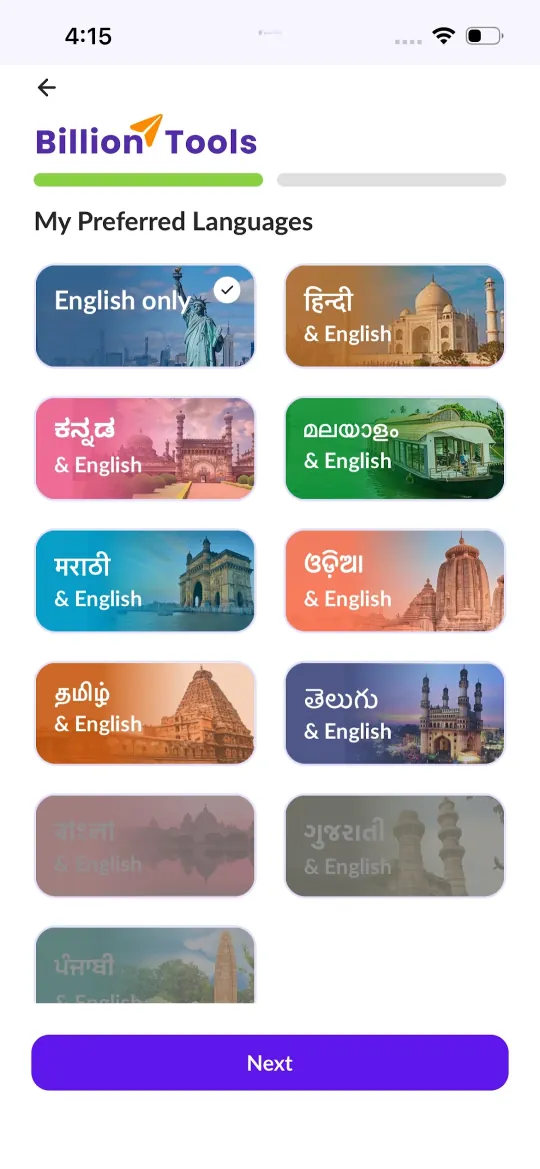
  1. App screen: choosing preferred languages, with English, Hindi, Kannada, Malayalam, Marathi, Odia, Tamil and Telugu cards

    Learners pick English, or one of 10 Indian languages alongside English: Hindi, Kannada, Malayalam, Marathi, Odia, Tamil, Telugu, Bengali, Gujarati and Punjabi.

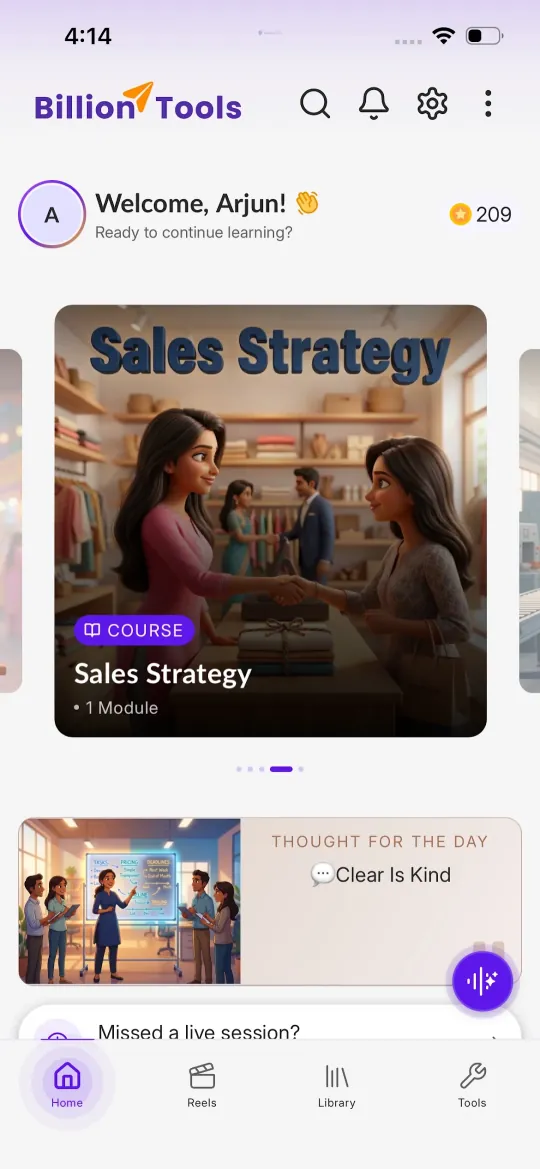
  2. App home screen with a welcome message, a featured course, a thought for the day and a prompt for missed live sessions

    The home screen brings back the current course, a thought for the day, and a way to catch up on a missed live session.

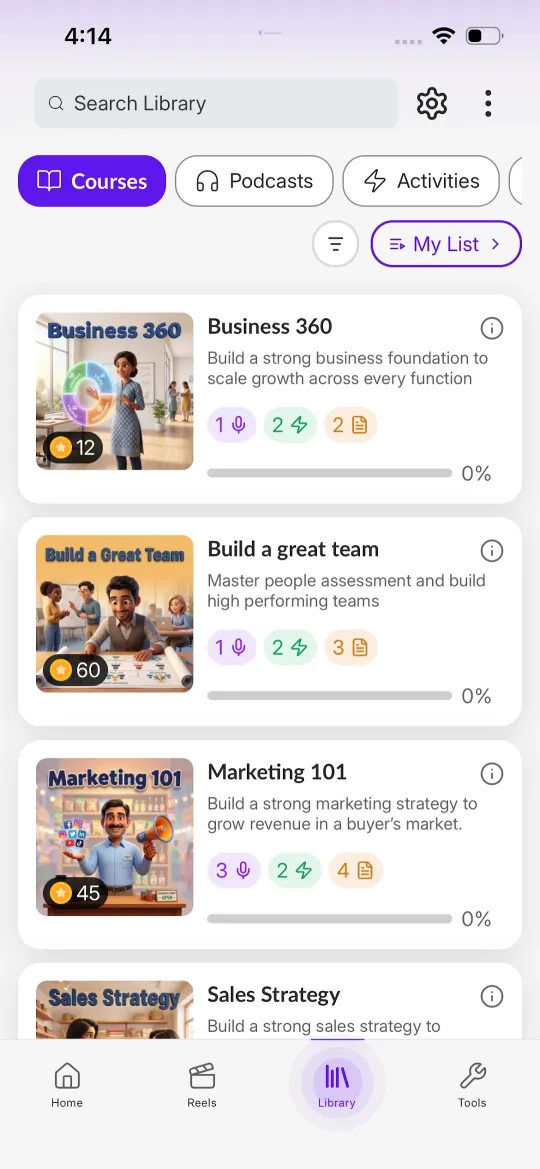
  3. App library screen listing courses with counts of podcasts, activities and documents, and a progress bar for each

    A library of short courses, each with podcasts, activities and reading, and a progress bar so learners know how far they have come.

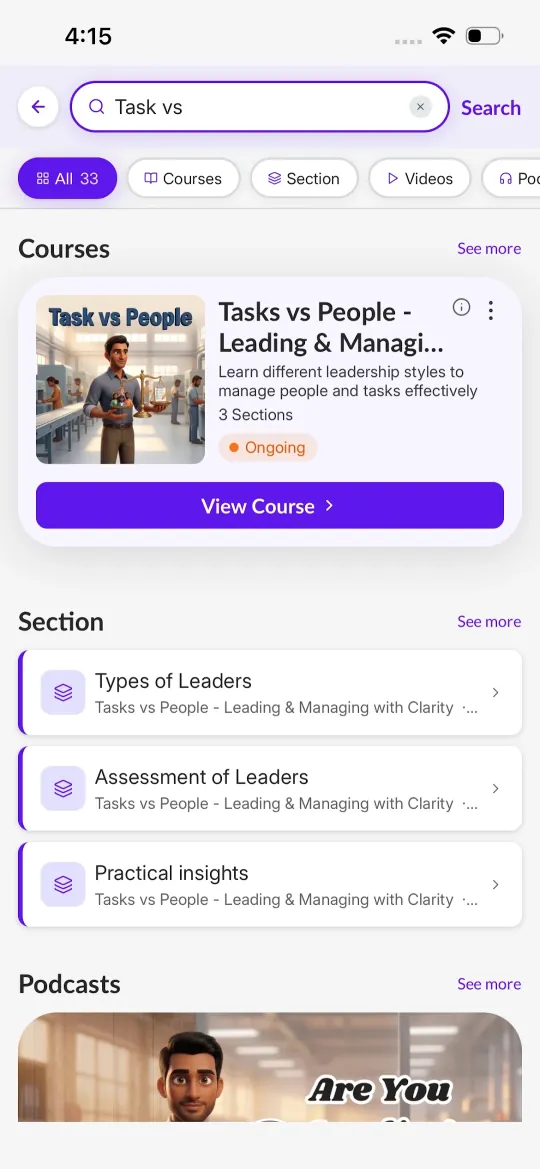
  4. App search results for the course Tasks vs People, Leading and Managing with Clarity, with three sections

    Courses such as Tasks vs People: Leading and Managing with Clarity, broken into sections on types of leaders, assessing leaders and practical insights.

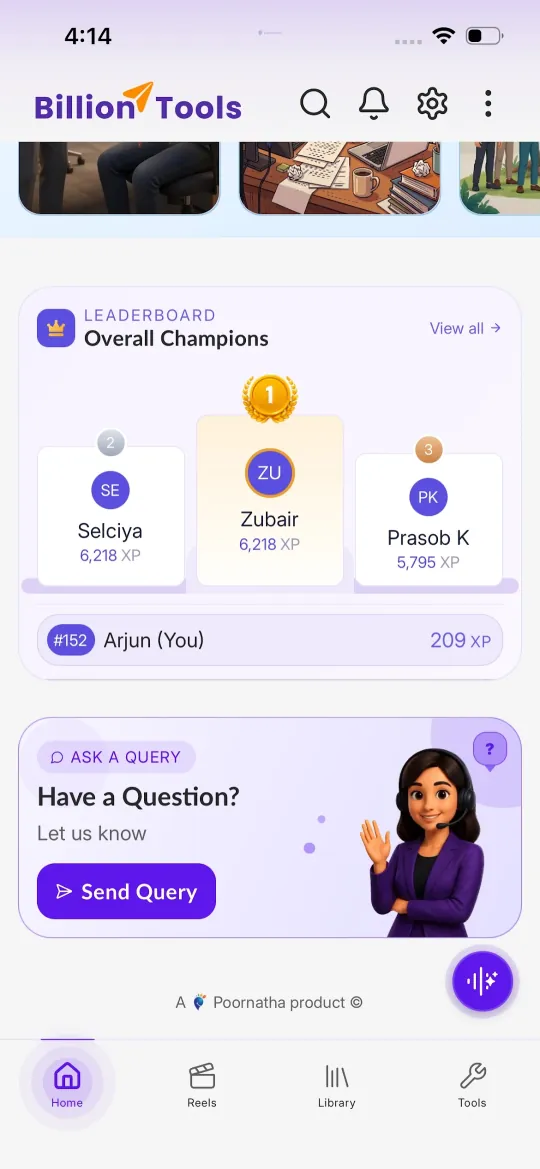
  5. App leaderboard showing the top three learners by XP and the learner's own rank, with an Ask a query card below

    Learners earn XP and see where they stand in their cohort. If something is unclear, they can send a query straight to the team.

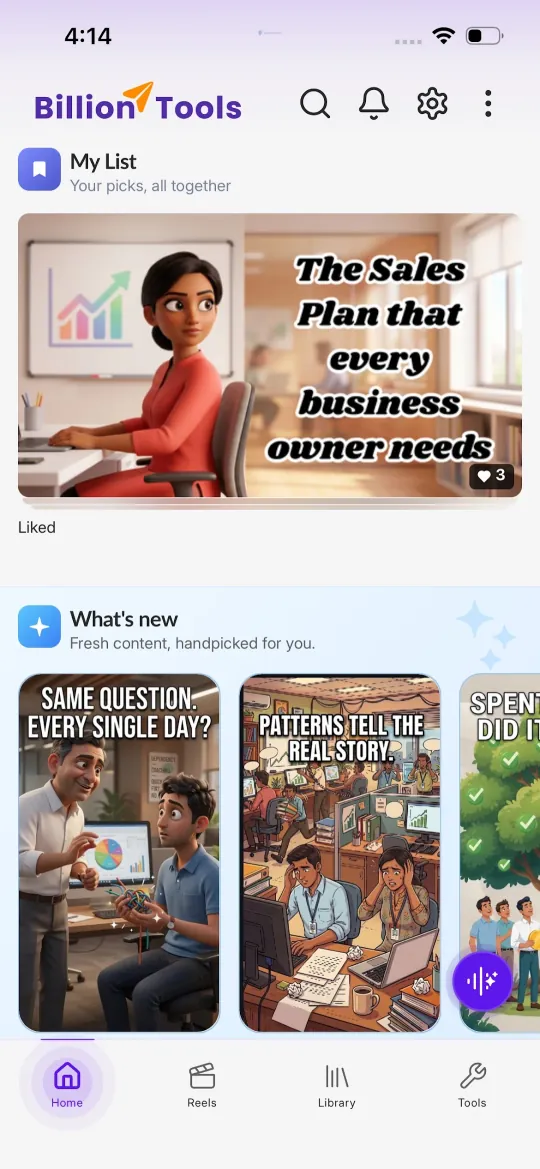
  6. App screen with a saved My List section and a What's New row of short illustrated reels

    Fresh, bite-sized reels appear under What's New, and learners can save anything to My List to come back to.

Showing each feature in turn
Screens

A closer look.

Choosing preferred languages
Language choice
Home screen with the current course
Home
Course library with progress
Library
The Tasks vs People leadership course
Leadership course
Leaderboard and ask a query
Leaderboard
My List and What's New reels
Reels

Not sure where to start?

Tell us what's showing up in your teams. We'll suggest where to begin, and start with a conversation, not a pitch.

Talk to us